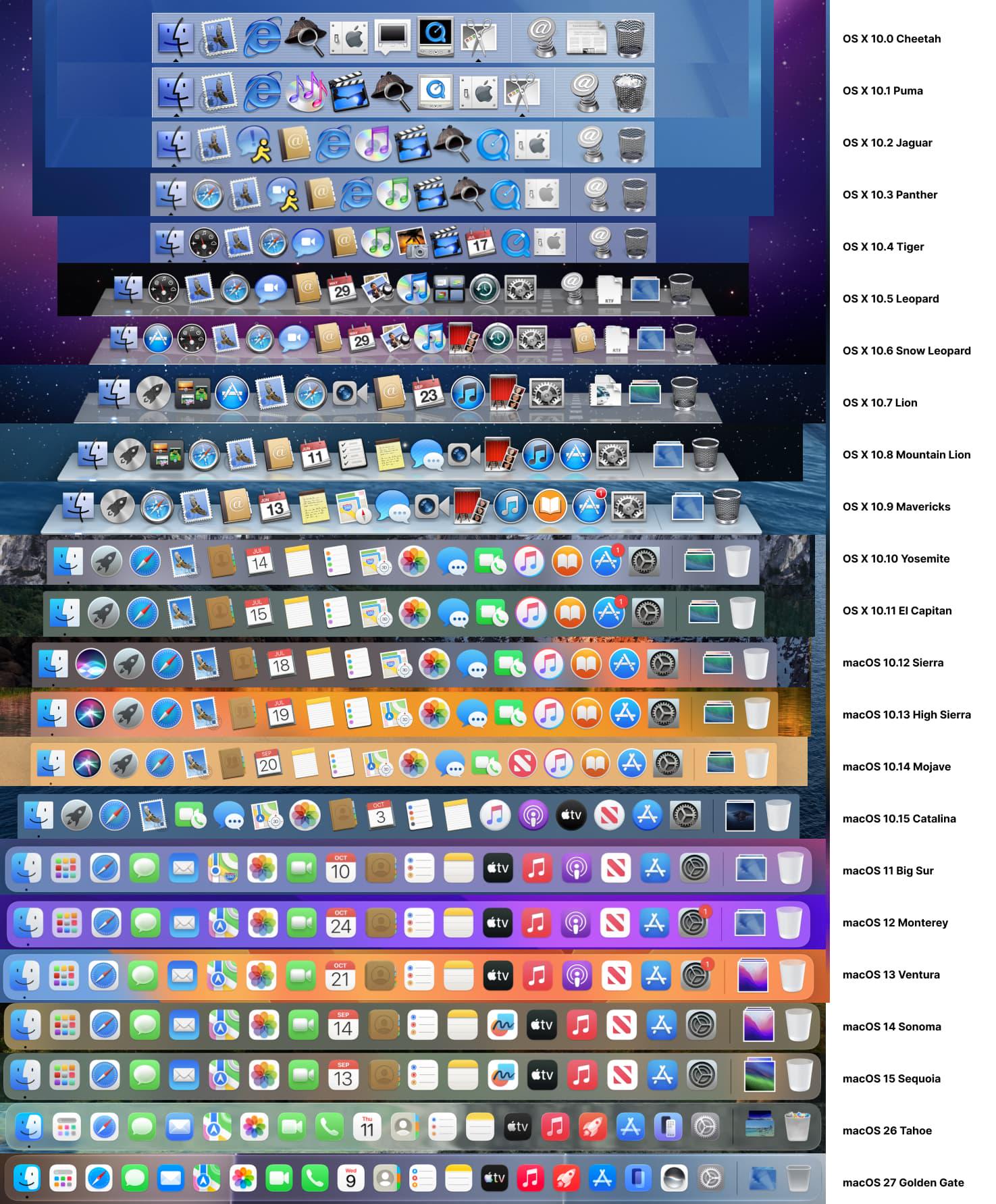
The Mac dock through the years.
0 comments
Shitposting since 2005
I think I’m done with the future… And I know that is a slightly inconvenient position to take when everyone around me is very excited about the newest, smartest, fastest, most technologically advanced thing humanity has managed to produce this week. But honestly? I am fucking exhausted.
We don’t necessarily want a better smartphone We want less smartphone.
I am exhausted by my phone.
I am exhausted by notifications. I am exhausted by Instagram, TikTok, WhatsApp, emails, news alerts, screen time reports telling me I spent six hours looking at my phone and then apparently expecting me to congratulate myself for reducing it by twelve minutes. I am exhausted by opening my phone to check one thing and resurfacing forty-five minutes later having watched a stranger clean their fridge…
And after years of being told that technology was going to make our lives easier, more efficient, more connected, I think a growing number of us are quietly asking a very different question: Can you please just leave us the fuck alone? And then Apple announces the new iPhone Duo, its first foldable IPhone, with a 7.6-inch internal display designed to give us more room to multitask, work, watch, create and generally do more things on one device.
The culture is moving backwareds whle the technology companies keep sprinting forwards.
And I understand why it’s impressive. It is impressive, and I want it. Why wouldn’t I, right? A giant screen in my pocket. Two apps side by side. More room to work. More room to watch. More room to… presumably never look away from my phone ever again. But do we, ACTUALLY, really, REEEALLY, want this? Because culturally, I don’t think we do.
The strange thing is that the culture is moving backwards while the technology companies keep sprinting forwards. And I’m starting to wonder whether they have completely misunderstood what we’re asking for. We don’t necessarily want a better smartphone. We want less smartphone. There is a huuuge difference.
I’m not asking for less technology because I hate technology. I’m asking for less because I like my life.
Somehow along the way, our phones stopped being tools and became environments. They became our alarm clocks, calendars, cameras, banks, offices, televisions, dating lives, shopping centres, newspapers, social lives and tiny little portals into everyone else’s existence. They are in our bedrooms when we wake up. They’re in our hands while we eat. They’re beside us while we work. They’re with us when we walk. They’re in our pockets at dinner. They’re charging next to our beds.
Simple can be harder than complex. You have to work hard to get your thinking clean to make it simple.
And apparently the solution to this deeply “healthy arrangement’ is to make the screen bigger. I’m sorry, but… What the fuck are we doing? I’m not asking for less technology because I hate technology. I’m asking for less because I like my life. I want to walk somewhere without documenting it. I want to have dinner without half my brain wondering what notifications I’ve missed.
I don’t want technology to remember my life for me. I want to remember my own life.
I want to have a conversation without a device sitting between us, quietly recording, tracking, pinging and predicting. I want to be bored, actually bored. The kind of bored where your brain has to entertain itself. And this is where I think the tech industry has completely missed the cultural mood.
I don’t want a smarter life. I want a life where I can occasionally be stupidly, gloriously offline.
They keep asking: What else can we add? What else can AI do? What else can our watches hear? What else can our phones remember? What else can we automate? What else can we optimise? What else can we put on a screen? How about instead we ask: What can we take away?
So no, Apple. I don’t want your biggest screen. I don’t want another device that remembers more, hears more, tracks more, predicts more, or gives me another reason to stare at a screen.
I, actually, really, really, want less… Less fucking everything. And if that sounds anti-tech, maybe that’s the point. What if the most revolutionary thing Apple could build right now is a reason to put the fucking thing down.
[source]
I didn’t write this, but it definitely resonated with me. Odd, considering tech has been my entire adult life…
3 comments
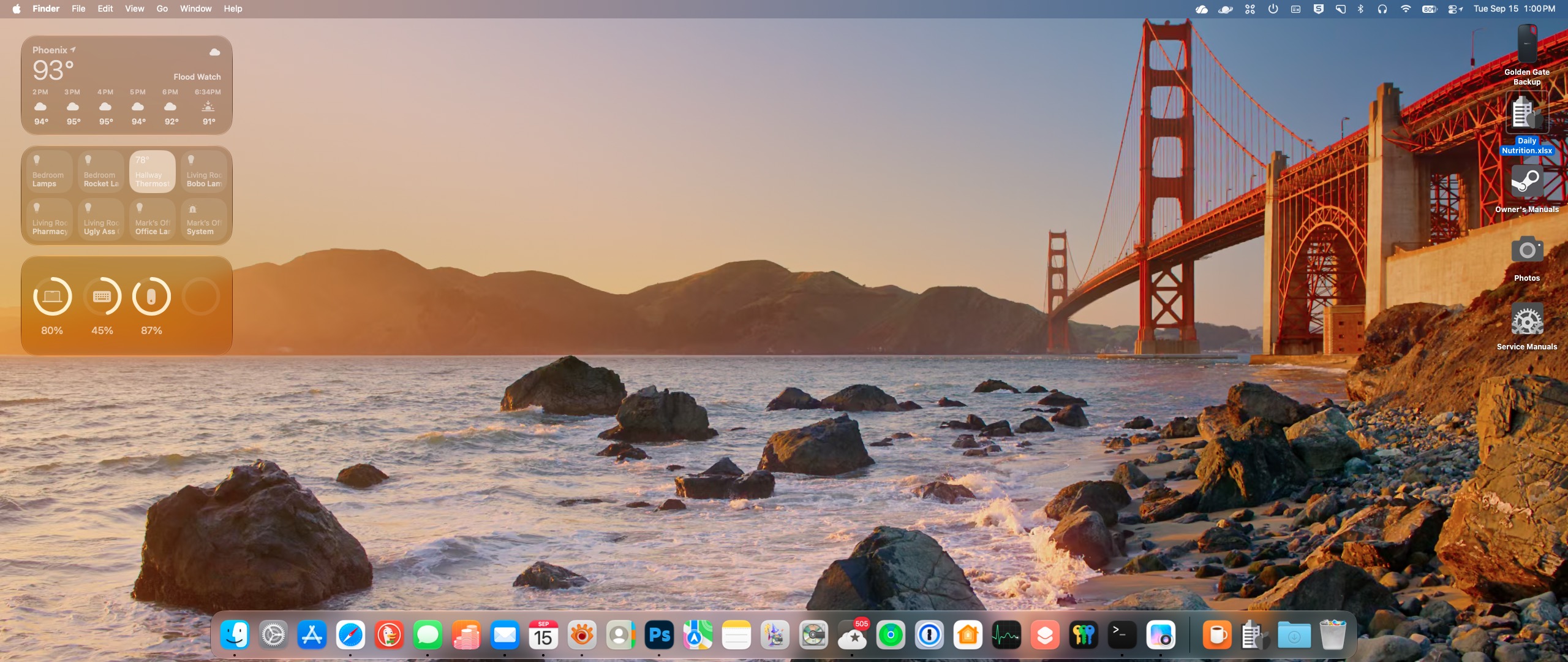
Apple released MacOS 27, aka Golden Gate, yesterday. I’ve been using it since one of the early betas, and I have to say it’s been a very pleasant experience.
Unlike Tahoe—which definitely wasn’t ready for prime time even on its general release date—Golden Gate has been surprisingly stable through all its beta iterations. To be honest there have been a few small glitches, but I can’t say for sure if it was the OS, the application, or just plain old user error that caused any of them because I could never reproduce them.
If you’re on Tahoe, definitely upgrade. If you’re still on Sequoia and you’re happy with it, stick with it. There are still many (mostly graphical) things I prefer about Sequoia, but the glaring inconsistencies and annoyances in the newer interface introduced in Tahoe have been addressed in Golden Gate. All the window corner radii match. Mostly. The “liquid glass” effect can be easily adjusted to your liking without having to resort to hitting the Accessibility panel to turn off window transparency completely. In general it feels snappier and more polished. A lot of the reviews I’ve read are saying it’s the Snow Leopard of the current generation of MacOS. If you catch that reference, congratulations—you’ve been at this as long (or longer) than I have.
As with any upgrade, make sure you have a full Time Machine (or whatever app* you use for backups—you do back up don’t you?) prior to upgrading in the unlikely event anything goes south.
Let me know what you think and how your upgrade goes.
*personally I use Carbon Copy Cloner, an app I’ve been trusting my data to for years.
0 comments
Eventually the thief will have to plug it in to charge.
Imagine if at that moment, the front camera snaps a photo and sends it to your email along with the exact location?
This isn’t an app.
It’s a built-in phone feature that you can set up in just a few minutes.
Here’s how to do it:
Open the “Shortcuts” app.
Go to the “Automation” tab and tap the plus sign in the upper right corner.
Scroll down the list and find “Charger.”
Select “Run Immediately” and turn on “Run Notifications,”
Go to the next page and create a new shortcut.
Next are the specific operations:
1. Airplane Mode: Search for this setting and turn it off.
2. Cellular Data: Set it to automatically enable network connection when the charging cable is plugged in. If the phone thief turns off all networks, this shortcut will automatically turn it on. Without a network, the photos and location cannot be sent out.
3. Get Current Location: Select the highest available accuracy.
4. Take Photo: Select the front camera and turn off “Show Preview.”
This last step is crucial; the other party won’t see anything on the screen.
5. Store Photos: Photos will also be saved to your photo album at the same time.
6. Send Email: Fill in the subject and the email address where you want to receive the information.
Enter the options for this action and turn off “Show Edit Draft.”
Save this automation, and you’re done.
Since then, every time someone plugs in this Phone to charge it will automatically turn on networking, acquires location, takes a photo with the front camera, and sends all the information to your email.
When I tested it for the first time, I received an email with a photo of my own face, taken in very poor lighting.
It really works.
To sum up: This is a Shortcuts automation, with the trigger condition set to “Charger,” enabling network access, acquiring location, taking a front-facing photo, and sending an email.
Zero App. Zero payment.
1 comments
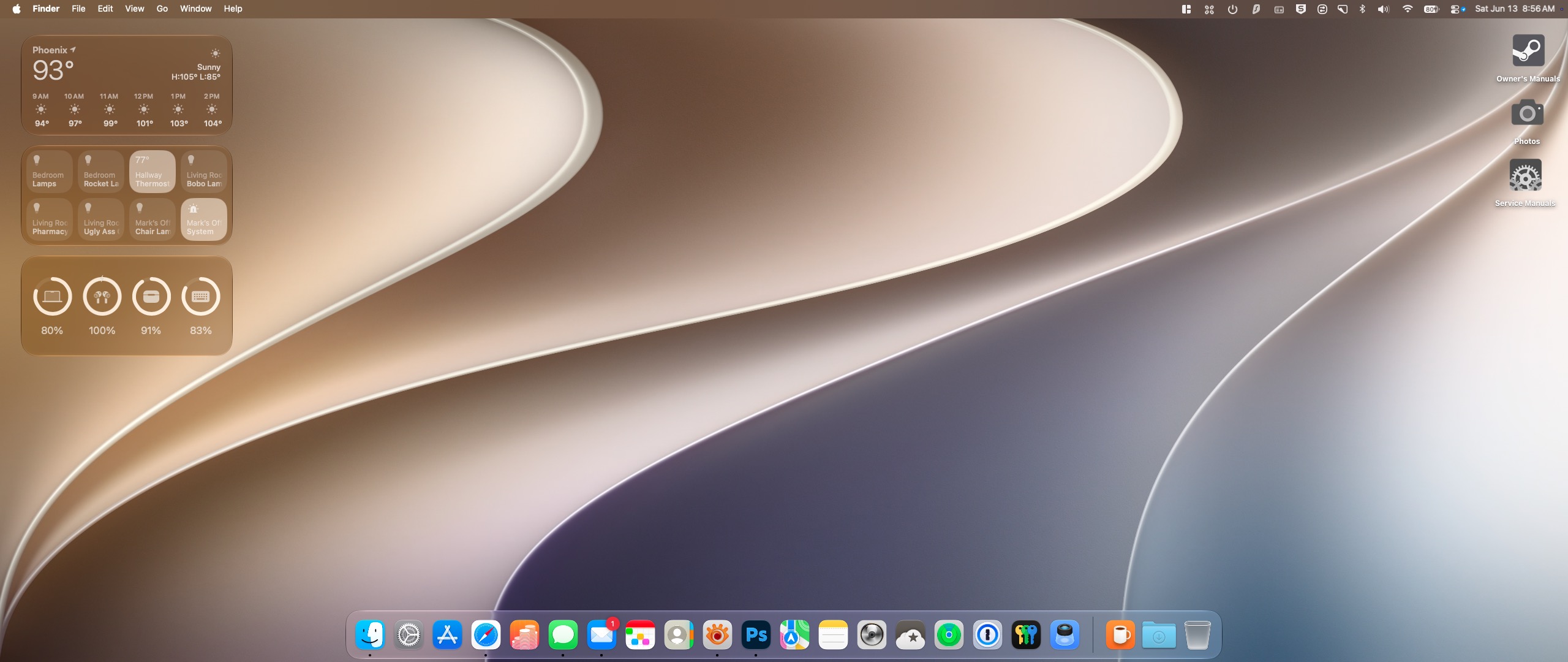
CAUTION: Geek stuff ahead.
Every year, like clockwork a new macOS appears at WWDC. And every year I swear I’m not going to install it until the final version is released to the public. At that point it’s generally assumed that all the big bugs have been worked out—although this isn’t the Apple of fifteen years ago and there are always seem to be glitches now.
Based on everything I’ve read online since last week, the latest iteration macOS, aka Golden Gate—even Developer Beta 1—is incredibly stable right out of the gate.
It purports to address all the complaints that have plagued Tahoe since it was released a year ago, kind of how Snow Leopard concentrated on fixing everything that was wrong with Leopard.
Naturally curious—but cautious since I’ve been burned too many times in the past—to play with a new OS, I created a new container on my Mac and loaded Golden Gate there. Yeah, this route is safest one possible short of installing it on an external drive and lets me play with it without putting any of my data at risk (I backup my entire drive every night to external storage, so even if something gets screwed up I can always wipe and restore everything from the night before). The downside is that this is basically a virgin installation and none of my apps are accessible (although even that seems to be working for the first time with Golden Gate), rendering the whole exercise kind of immaterial for personal real-world testing.
In a fit of madness last night, I threw caution to the wind. I made a full backup of my Tahoe installation, created a new USB Tahoe installer(in case I needed to wipe everything and reinstall that OS and then restore from my backup). And installed Golden Gate on my main drive.
After installing, the machine rebooted and…well, it worked.
I checked all my apps and everything functioned normally. (I know, I just jinxed it by writing that, didn’t I?)
16 hours in, and I’m pleasantly surprised. It’s far more responsive than Tahoe ever was, and for the most part all the graphic glitches and inconsistencies that Tahoe gave us are finally gone. Maybe the change of the head of software development at Apple is actually bringing about real change.
The only thing I worry about is that as the development cycle continues through the summer toward the release of the finished product in September or October is that in the past, each new beta—while squashing bugs in the previous release—often introduced new ones, rendering the whole installation unusable, or at least severely compromised from the previous version.
To that end, I’m going to keep my backup from yesterday intact, but I will also create another backup on a separate external drive of my new install and continue to back that up nightly so if—in case the unthinkable happens and some future beta fucks things up—I can still go back to Tahoe and restore any new material I created under Golden Gate since upgrading.
I’ve also learned to keep copies of the installers for each beta iteration so I can go restore to the most recent unfucked one instead of bailing completely and returning to the previous OS.
0 comments