0 comments
Shitposting since 2005
0 comments

0 comments
0 comments

0 comments
0 comments
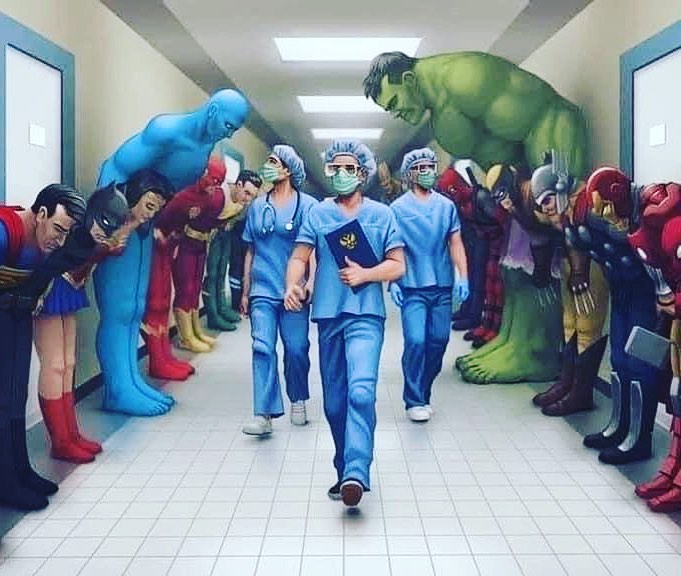
 Nothing could be worse than a return to normality. Historically, pandemics have forced humans to break with the past and imagine their world anew. This one is no different. It is a portal, a gateway between one world and the next.
We can choose to walk through it, dragging the carcasses of our prejudice and hatred, our avarice, our data banks and dead ideas, our dead rivers and smoky skies behind us. Or we can walk through lightly, with little luggage, ready to imagine another world, and ready to fight for it.” ~ Arundhati Roy
She gets it. And it makes my heart flutter.
1 comments
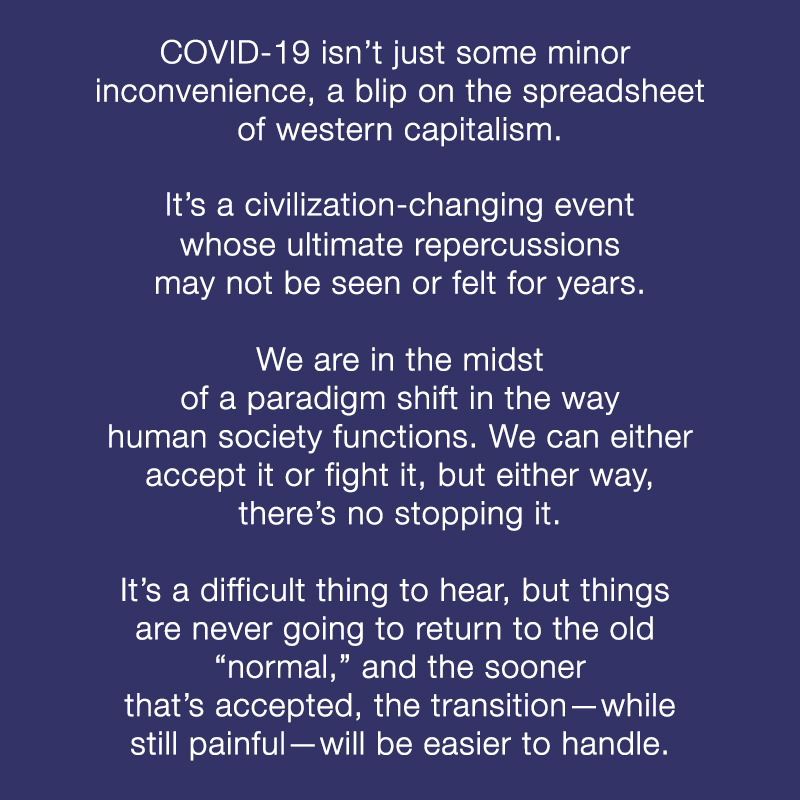
I’ve been meaning to write this for several days but all my ideas hadn’t really jelled yet. I’m not sure they’re even all there now, but the graphic above is a definite jumping off point.
As I stated above, this pandemic isn’t just some blip; it’s the catalyst that is bringing about a fundamental change in the human society functions. I mean, let’s face it: we’ve all known for some time now that things (and by “things” I mean pretty much every aspect of our human existence on this planet) have been broken. It’s something that personally I have been unable to specially identify, but more of a feeling that things were not right. It felt almost as if we’d slipped into some other reality. This has been especially prevalent these past three years, and the phrase, “This planet needs an enema!” has graced my lips more than once.
Along the same lines, as I wrote a little more than a month ago, I’ve often joked that someone needed to find the planetary reset button and push it. Now I’m thinking, “Well asshole, you got what you wanted. It’s been pushed. What now?”
It’s hard to provide an answer for that question, being as we are unfortunately I fear, in the very early days of the actual transition. But fifty, a hundred years from now, people will be able to look back and see this for what it was and say, “Yes, this is the point that x-happened” with a clarity we presently lack.
And yet—despite recent mood swings that have caught me unawares—I fundamentally remain an optimist, and the optimist in me is clinging to the belief that this period is what sends human civilization on a path that eventually leads to the future Gene Roddenberry visualized fifty years ago. Maybe it won’t be a nuclear war that sends us to the stars; perhaps it will be a global pandemic that allows us to reorder our priorities and set things right for all the residents of this tiny rock.
0 comments
1 comments
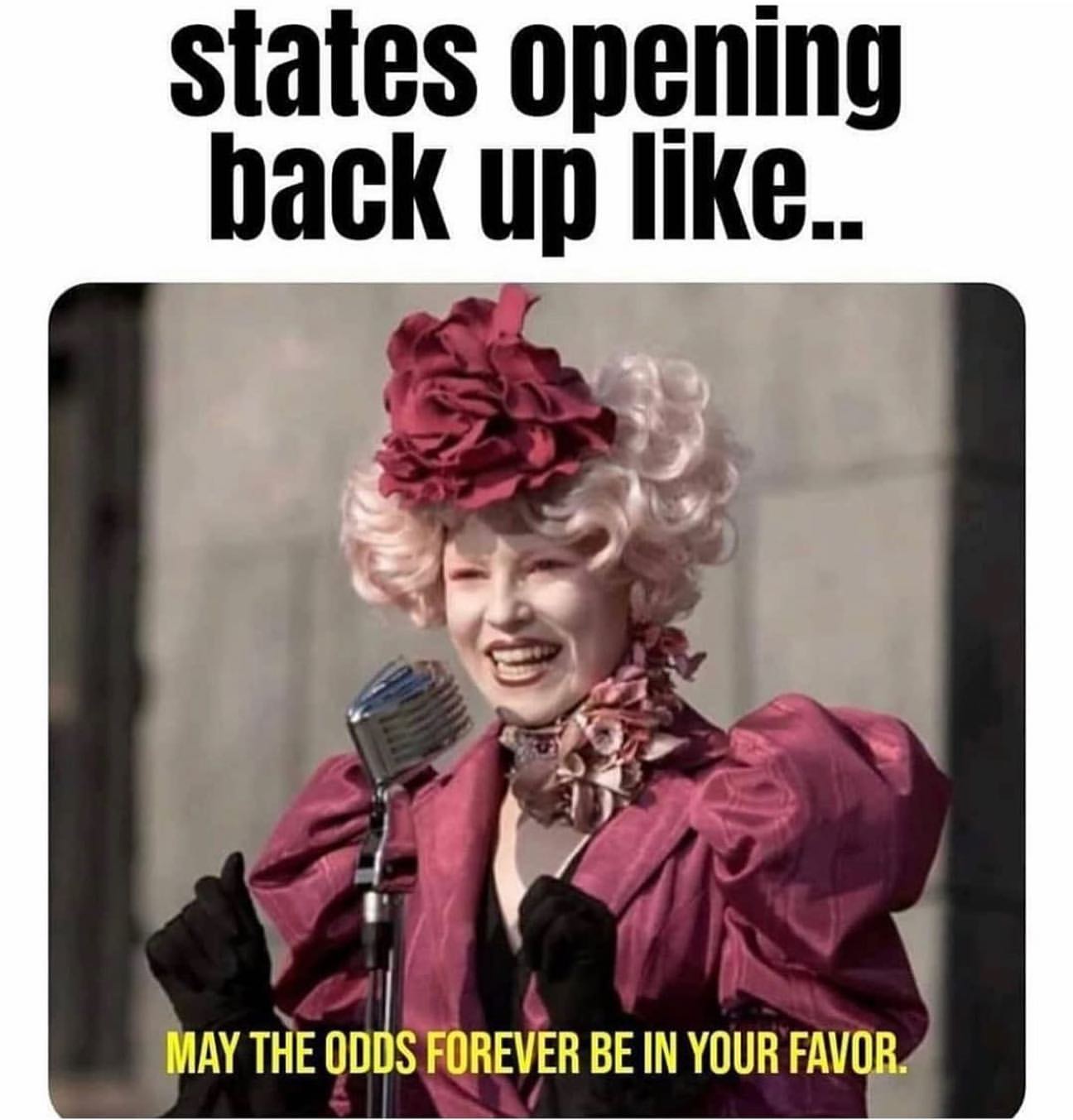
History repeating…
From NBC News:
When the clock struck noon, the masks came off.
It was Nov. 21, 1918, and San Francisco residents gathered in the streets to celebrate not only the recent end of World War I and the Allies’ victory, but also the end of an onerous ordinance that shut down the city and required all residents and visitors to wear face coverings in public to stop the spread of the so-called Spanish flu.
A blaring whistle alerted gratified residents across the city and, as the San Francisco Chronicle reported at the time, “the sidewalks and runnels were strewn with the relics of a torturous month,” despite warnings from the health department to maintain face coverings. As celebrations continued and residents flocked to theaters, restaurants and other public spaces soon thereafter, city officials would soon learn their problems were far from over.
Now, amid the coronavirus pandemic, as President Donald Trump urges the reopening of the country and some states, such as Georgia, move to resume normal business even as new cases emerge, how officials acted during the 1918 flu pandemic, specifically in cities such as San Francisco, offers a cautionary tale about the dangers of doing so too soon.
Alex Navarro, the assistant director of the Center for the History of Medicine at the University of Michigan, which detailed historical accounts of the 1918-19 flu pandemic in 43 cities, told NBC News in a phone interview that officials often acted quickly at the time but restrictions were eased to varying degrees.
“There was a lot of pressure in pretty much all of these American cities to reopen,” said Navarro, whose research was done in conjunction with the Centers for Disease Control and Prevention. “When they removed those restrictions too soon, then many cities saw a resurgence in cases.”
The center’s research found that cities that used “early, sustained and layered” practices such as social distancing, closing public events and stay-at-home orders “fared better than those that did not.”
‘A lot of stock in masks’
Just two months earlier, in September, the first case of the so-called Spanish flu was identified in San Francisco and city health officials sprung into action.
Dr. William C. Hassler, the city’s health officer, ordered the local man who apparently brought the disease to the city after a trip to Chicago into quarantine to stop the disease from finding another human host, according to the center’s research of reported accounts.
But it was too late as the virus had already begun to make its way through the city. By mid-October, the cases jumped from 169 to 2,000 in just one week. Later that month, Mayor James Rolph put in place social distancing practices and met with Hassler, other health officials, local business owners as well as officials from the federal government to discuss a plan to close the city.
Some officials demurred at the idea, worried about damage to the city’s economy and the risk of causing public panic. Eventually, on Oct. 18, the city voted to shut down “all places of public amusement.”
City officials also strongly advocated for face coverings, which were at first optional and soon required by a mayoral order — the country’s first at the time, Navarro said.
“They were the one city that put a lot of stock in masks,” he said.
With the pandemic still raging across the globe during World War I, the mask also became a symbol of “wartime patriotism.”
“The man or woman or child who will not wear a mask now is a dangerous slacker,” a public service announcement from the American Red Cross said at the time, according to Navarro’s research.
That, however, did not stop people from defying the order — 110 people were arrested and given a $5 fine in one day in October shortly after the measure went into place, improperly wearing a mask or not wearing one entirely, according to the center’s research. Over time, the jails were overcrowded with people failing to adhere to the rules. However, most cases were later dismissed.
By the end of October, there were 20,000 cases and more than 1,000 deaths. However, as the days went on, the city saw a dip in newly reported cases, which prompted officials to begin to reopen the city and rescind the mask order. By the end of November, officials believed the city had stabilized.
ey were flattening that curve’
But three weeks after that celebration of removing their masks, the city saw a dramatic resurgence. Officials at first rejected the idea of reopening the city and suggested residents could voluntarily wear face coverings.
But shortly after the New Year in 1919, the city was hit with 600 new cases in one day, prompting the Board of Supervisors to re-enact the mandatory mask ordinance. Protests against the mandate eventually led to the formation of the Anti-Mask League. The detractors eventually got their way when the order was lifted in February.
San Francisco’s ambivalence to quarantine measures ran counter to other U.S. cities, though. Navarro said Los Angeles, for instance, implemented strict social distancing and face coverings about a week before San Francisco did and its measures stayed in place for weeks longer.
Navarro said that many cities often became complacent once they saw a dip in cases, and when a resurgence happens residents often question the public health guidance.
“They were flattening that curve; they just weren’t realizing it,” Navarro said. “A lot of people thought, ‘Well, what did we go through that for? It did have an impact, they just didn’t know it.”
As Dr. Anthony Fauci, the nation’s top infectious disease expert, put it in March, “If it looks like you’re overreacting, you’re probably doing the right thing.”
Back during the Spanish flu, San Fransisco’s failure to take swift action and the decision to ease restrictions after only a few weeks had huge ramifications. With 45,000 cases and more than 3,000 deaths, the city was reported to have been one of, if not, the hardest-hit big city.
Roughly a century later, the San Francisco Bay Area imposed the nation’s first stay-at-home order and other restrictions when coronavirus cases were rapidly growing, placing a spotlight on its pandemic response again. Those aggressive actions are credited with saving lives, avoiding the scale of the tragedy found in New York City.
Mayor London Breed said she took heed of history and implemented an order last week requiring anyone setting foot on the streets of San Francisco, outside their homes, to wear a face covering.
Breed told MSNBC’s Chris Hayes in an appearance in mid-April that she has considered the city’s history with past pandemics, such as the HIV/AIDS crisis and the Spanish flu when deciding to ease restrictions.
“Just because San Francisco is being praised for flattening the curve, we’re not there yet,” she said. “And so we cannot let up just because for some reason we believe that we’re in a better place.”
[Source]
0 comments
0 comments
0 comments
0 comments

0 comments
0 comments
Ezra Klein, writing at Vox, on Marc Andreeson’s “It’s Time to Build” call to arms:
Which goes to a problem that afflicts governance at all levels of America: If you live in a vetocracy and one of your two political parties actively wants the government to work poorly, the government will work poorly. And so it does.
I don’t think that’ll be enough. So let me end with my answer to Andreessen’s question: What should we build? We should build institutions biased toward action and ambition, rather than inaction and incrementalism. […] At the federal level, I’d get rid of the filibuster, simplify the committee system, democratize elections, and make sure majorities could implement their agendas once elected. As I’ve argued for years, we should prefer the problems of a system where elected majorities can fulfill the promises that got them elected to one where elected majorities cannot deliver on the promises that the American people voted for. The latter system, which is the one Americans live in now, drives frustration and dysfunction.
Full-throttled endorsement for this basic notion from me—knowing full well that political tides ebb and flow. Let the party in power try new things. If they turn out to be unpopular, the tide will change and so too will the laws and policies. Conduct politics more like we do science: try new ideas and see what happens.
0 comments
2 comments
Twelve years ago, just a scant few months before Ben entered my life, I created this two-disk playlist.
Admittedly this is an odd collection, but listening to it this afternoon sent me back to providing tech support at the hospital where I made friends that grace my life to this day, learned technical skills that propelled my career, and celebrated my 5-year cancer free anniversary. Both my folks were still alive, Mom hadn’t yet begun the precipitous decline into Alzheimers, I was indulging myself in short, yet extensive road trips, and making more money than I would see again for the next decade. And yet, as I’ve told Ben, while my life prior to meeting him was okay, something was missing. I was happy, but I wasn’t happy. Of course, unbeknownst to me at time, all that was about to change for the better.
Sequestered in my private office in the bowels of the hospital (Why is I.T. always in the basement?) I had the luxury (yet to be repeated) of a locking door and—since the rest of the floor consisted of rarely-used conference rooms and two other unoccupied offices—of cranking tunes when the mood struck me, and these were but a few items on my playlist from that period in my life.
Do the tunes say anything about my mental and emotional state at the time? Probably, but its still quite invisible from this side of the mirror.
1 comments

0 comments

0 comments

0 comments
0 comments
0 comments
0 comments

0 comments
1 comments
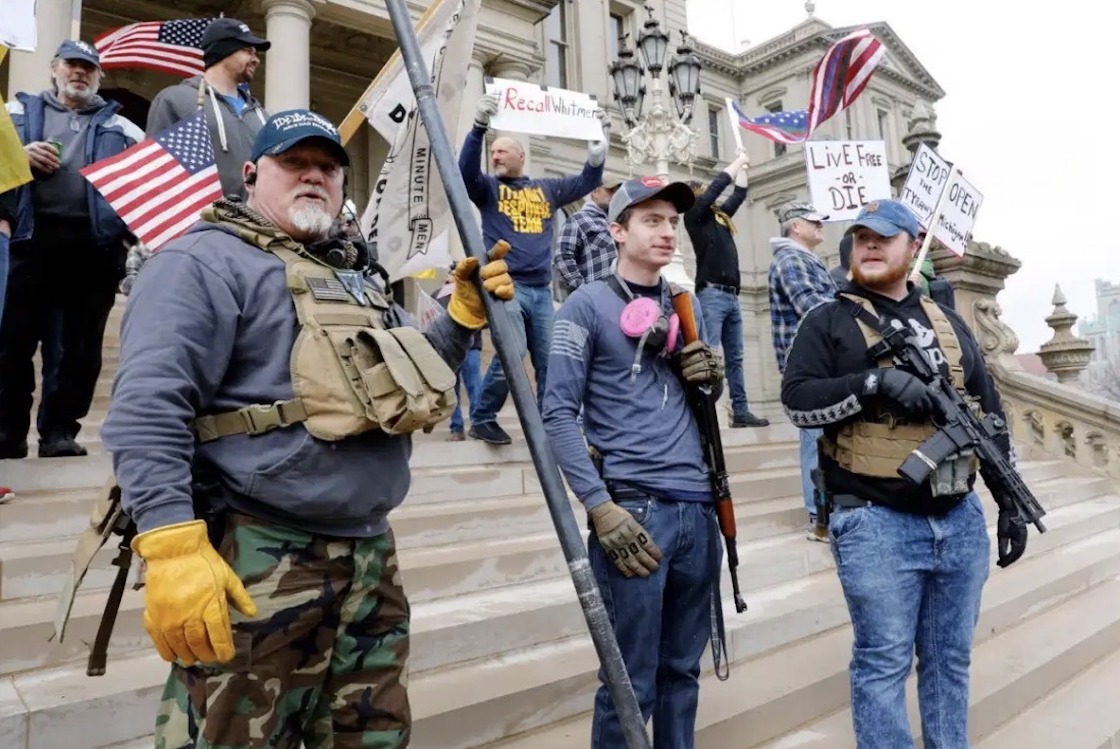
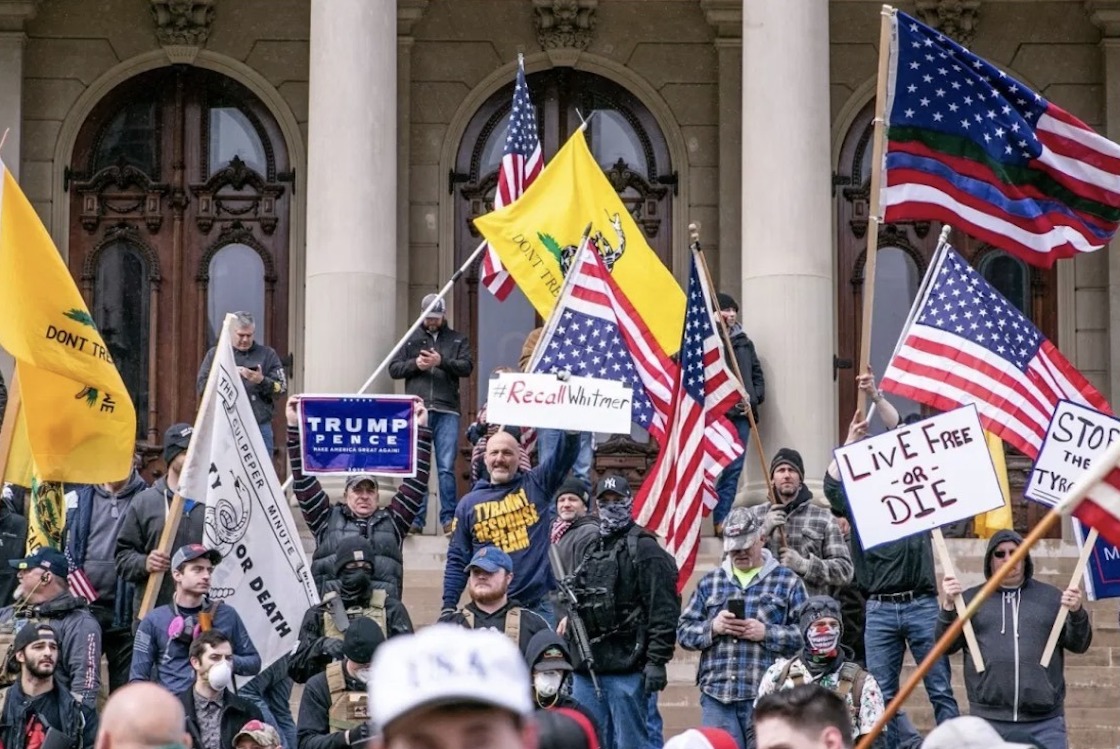
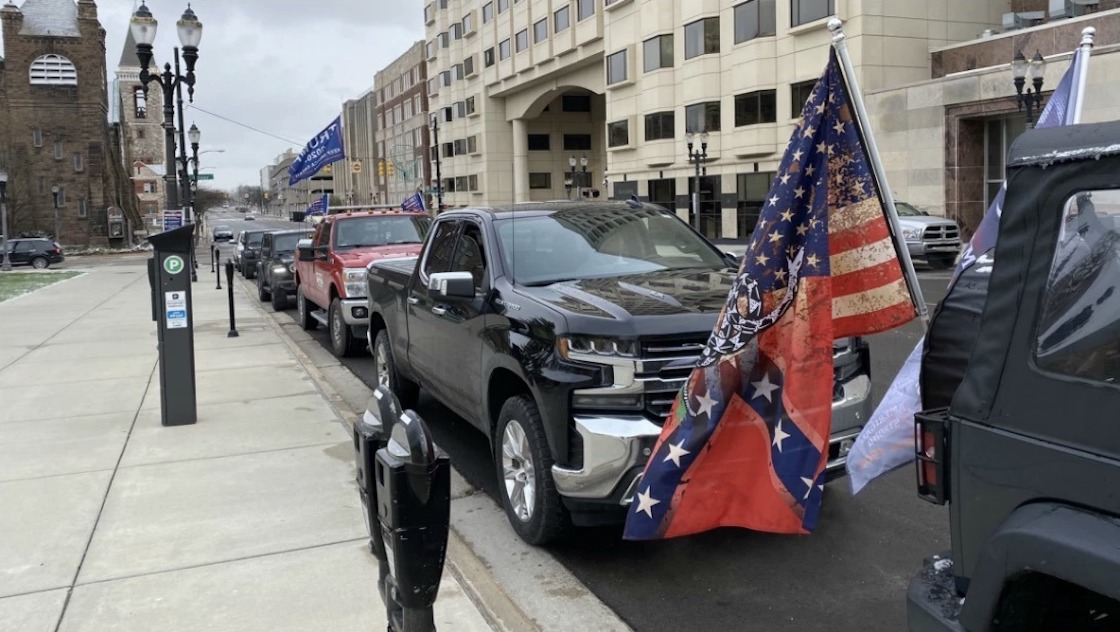
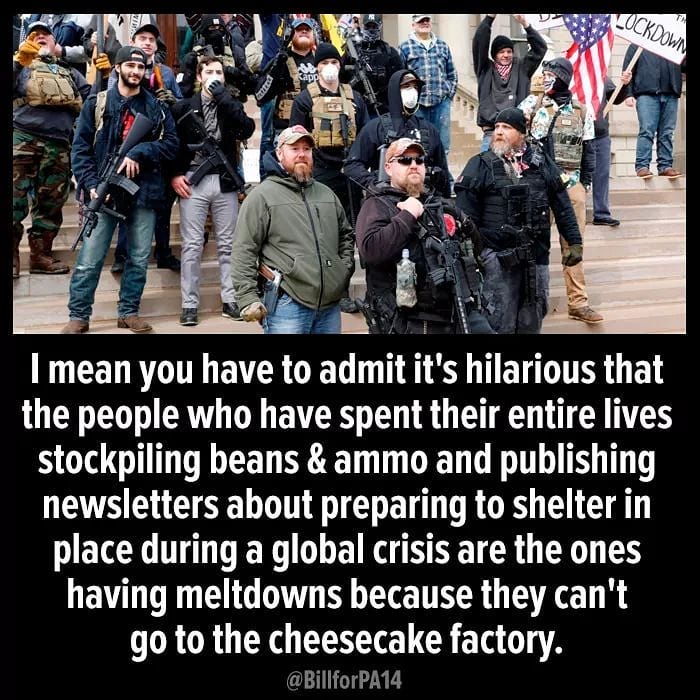
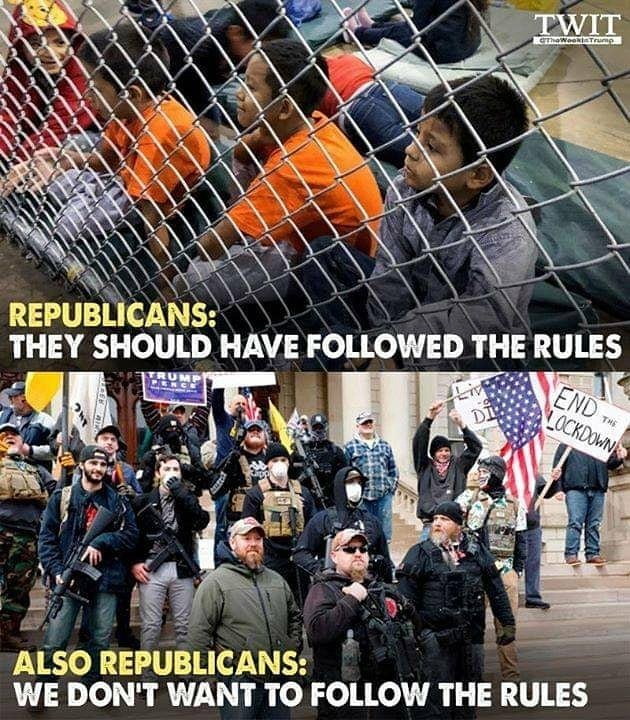
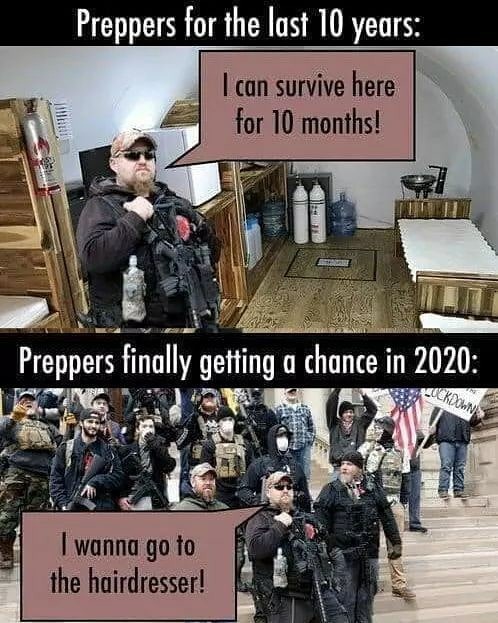
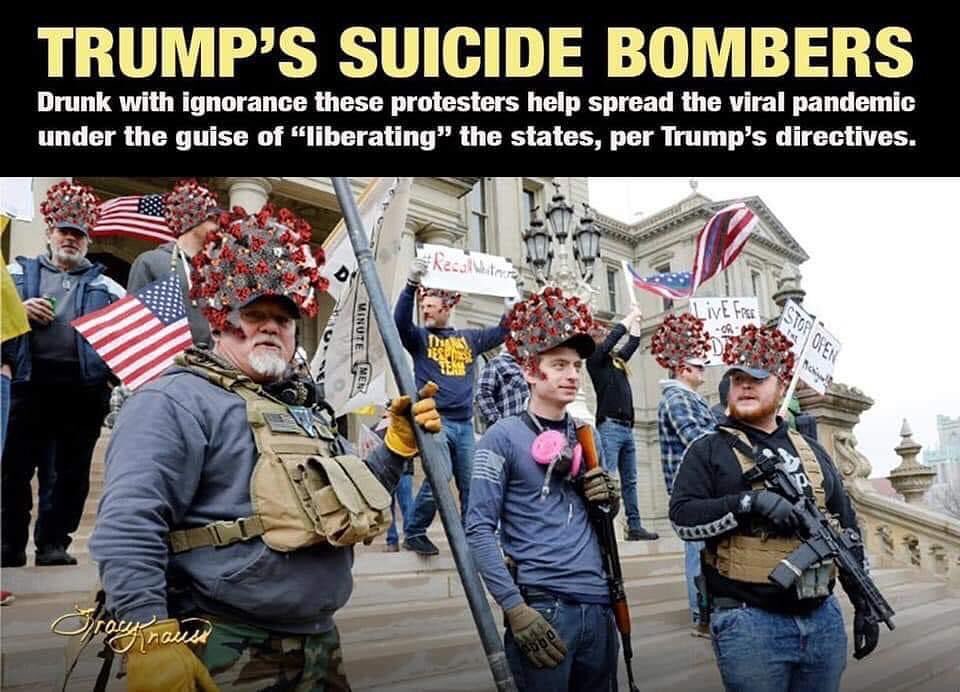
Fuckwits with firearms
Fuckwits with flags
Fuckwits in pickups with Confederate flags
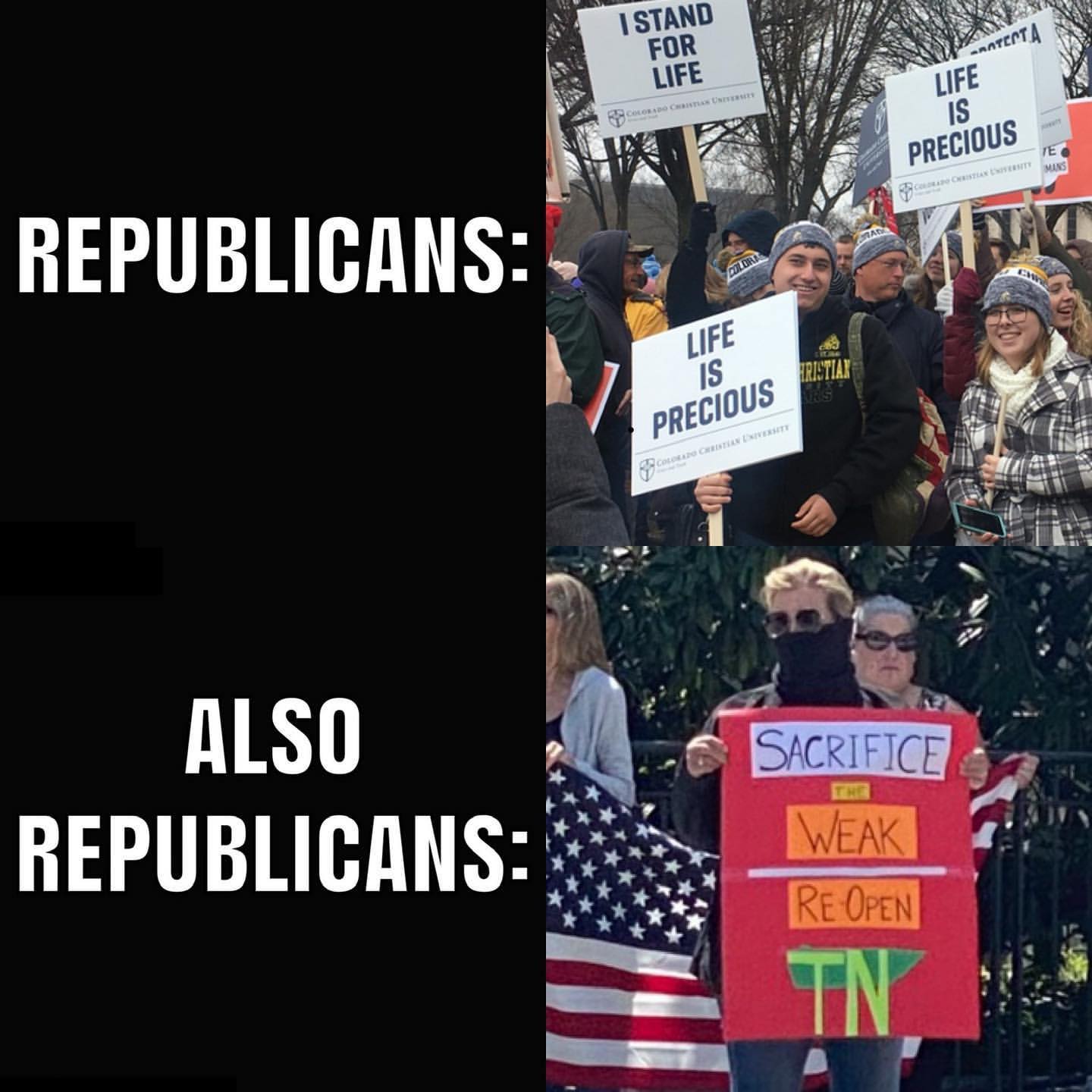
Gov. Whitmer’s order for Michigan citizens to stay home, they said, was tyranny (SPOILER: if you can gather in public and accuse the government of tyranny without fear of arrest, it’s not tyranny).
They repeated Ben Franklin’s claim that ‘security without liberty is called prison’ (SPOILER: if you can drive your pickup to Lansing, Michigan, you’re not in prison and you have liberty).
They chanted “Lock her up!” and “Keep America Great!” (SPOILER: if your nation was warned a pandemic was coming and didn’t bother to prepare for it, your country isn’t all that great, and a populace that wants to lock up a governor for trying to mitigate that pandemic isn’t particularly great either).
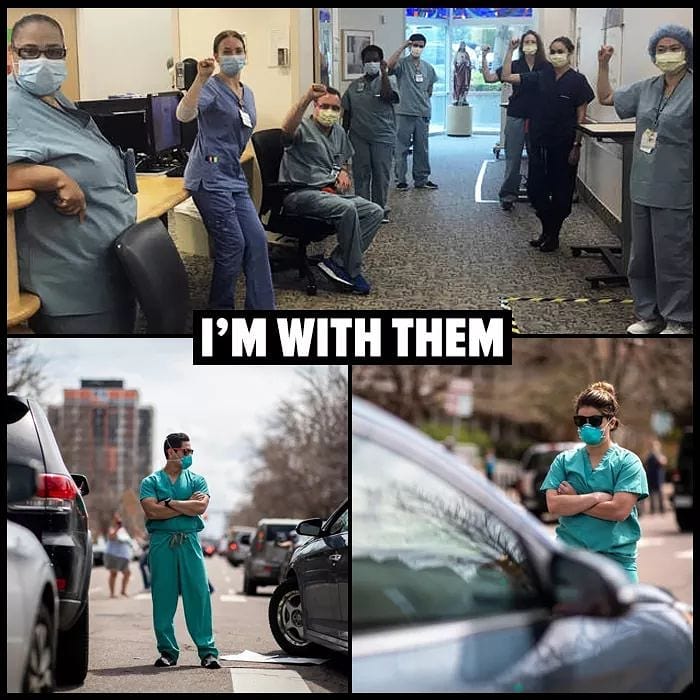
They also gathered to block traffic in front of a hospital. Seriously, during a goddamn pandemic, these fuckwits thought it was cute to block the emergency entrance to a hospital.
Jesus suffering fuck. —gregfallis.com
0 comments
A recent profile in the New Yorker of Senate Majority Leader Mitch McConnell quoted a staffer as claiming that behind closed doors McConnell has described Trump as “nuts.” Democrats should demand to know if the Republican Senate mastermind truly believes that the president is impaired, and force McConnell to choose between yet more lies and the future of his country.
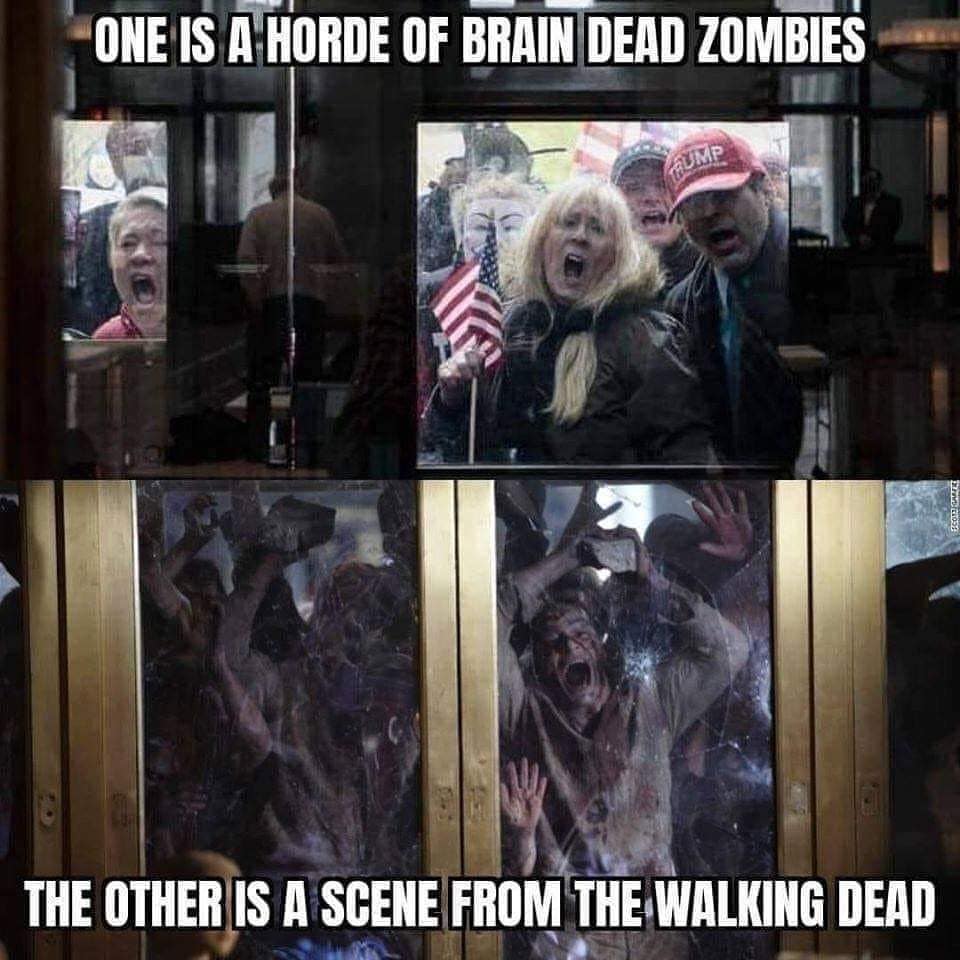
Democrats should also get over their concerns about angering Trump supporters. Anyone who continues to applaud Trump’s weird and reckless disregard for humanity at this point is beyond the limit of rational persuasion. Trump supporters live in a hallucinatory dreamscape under the authority of a maniac. Let them have their anti-social distancing rallies, and allow them to believe that Barack Obama invented COVID-19 shortly after he was born in Kenya.
Rational Americans need to stop enabling this abusive and deranged presidency. Declare Donald Trump insane and, at long last, bring an end to our era of malignant normality.
Trump’s lies are so brazen that it is now common for politicians and the media to talk about him lying, a word that would not have been used in days gone by but replaced by euphemisms. Is it only a matter of time before they start openly questioning his sanity instead of just whispering it behind closed doors? – Mano Singham/Freethought Blogs
0 comments
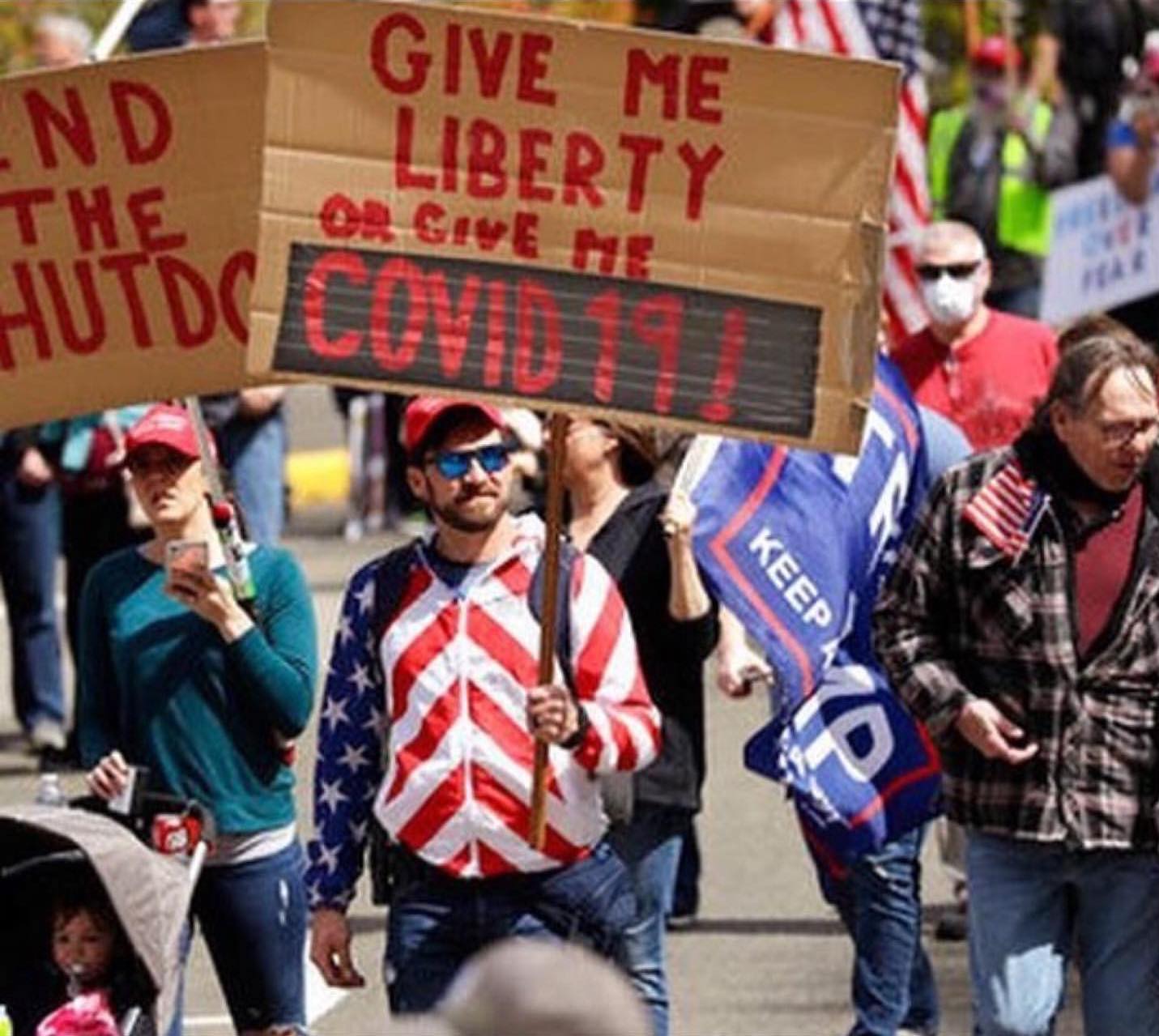
Not surprising, considering these folks always were a few screws short of a hardware store.
0 comments